SupportSG +65 9117 6432BD +880 1711 152158
Sentio – Cloud, VoIP, AI, CX Solution
Sentio product

Sentio CTI Connector: Amazon Connect for Microsoft Dynamics 365

Sentio’s own connector puts the Amazon Connect softphone inside Dynamics 365, so agents never leave the CRM. Calls, chats, live transcripts, agent assist, AI summaries and supervisor views all run in one screen.

Works with: Dynamics 365 Customer Service, Sales and model-driven Power Apps, built on Microsoft’s Channel Integration Framework.

Request a demo

Single sign-on

Agents sign in to Dynamics 365 once; the connector opens the softphone with the same Microsoft Entra ID identity.

Screen pop

On ring, the caller’s number is matched to contact and account phone fields. One match opens the record, several open a pick list, none opens a pre-filled new-contact form.

Screen pop on IVR data

A customer ID, case number or other reference captured in the IVR takes priority over the phone number.

Activity logging

A phone-call activity is created with start and end time, queue, agent, direction, contact ID, disposition and recording link.

Sync to Dynamics 365

IVR path, transcript, sentiment, AI summary and survey score are written to the case.

Sync to Amazon Connect

Case number and case type are written back as contact attributes, joining CRM and telephony data in reports.

Click-to-dial

Any phone field in Dynamics 365 dials through the softphone with your chosen caller ID.

Full call controls

Answer, hold, mute, keypad, warm and cold transfer, conference and quick connects.

Agent states

Available, after-contact work and your own not-ready reason codes, plus an assistance-request button for supervisor help.

AI panel

Live transcript with sentiment, Amazon Q in Connect suggestions, and an AI summary in your own format on wrap-up.

Supervisor views

Live queue and agent status, contact search, recording playback and evaluations inside Dynamics 365.

Built-in fallback

If Dynamics 365 is unavailable, agents keep taking calls on the standalone softphone page.

See the connector in action

Screens from Dynamics 365 Customer Service with Amazon Connect. Test data; names and phone numbers are masked.
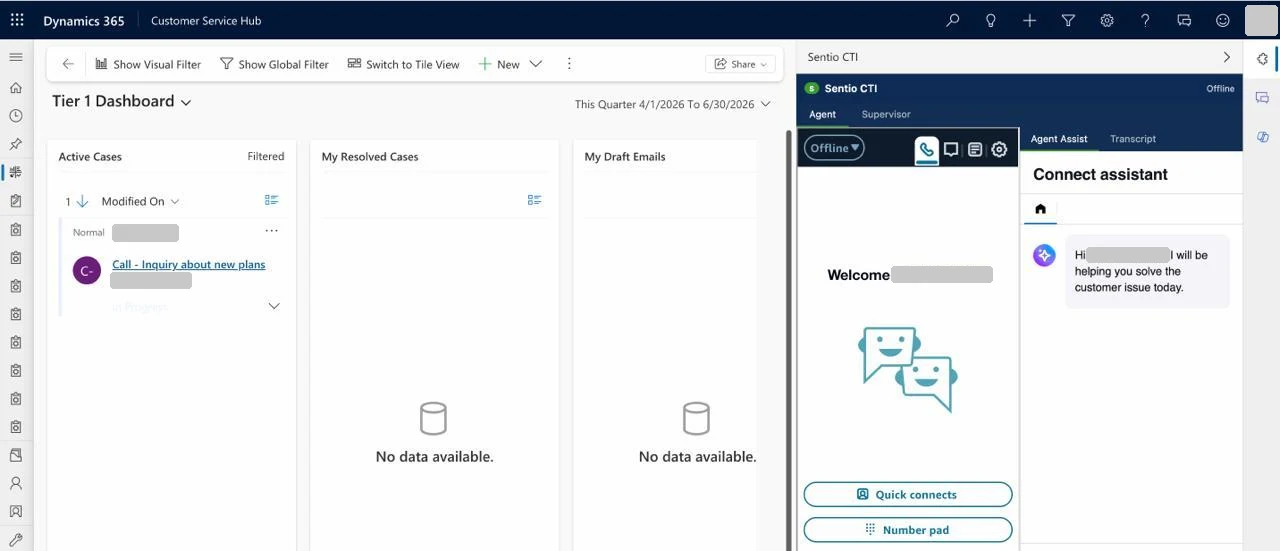
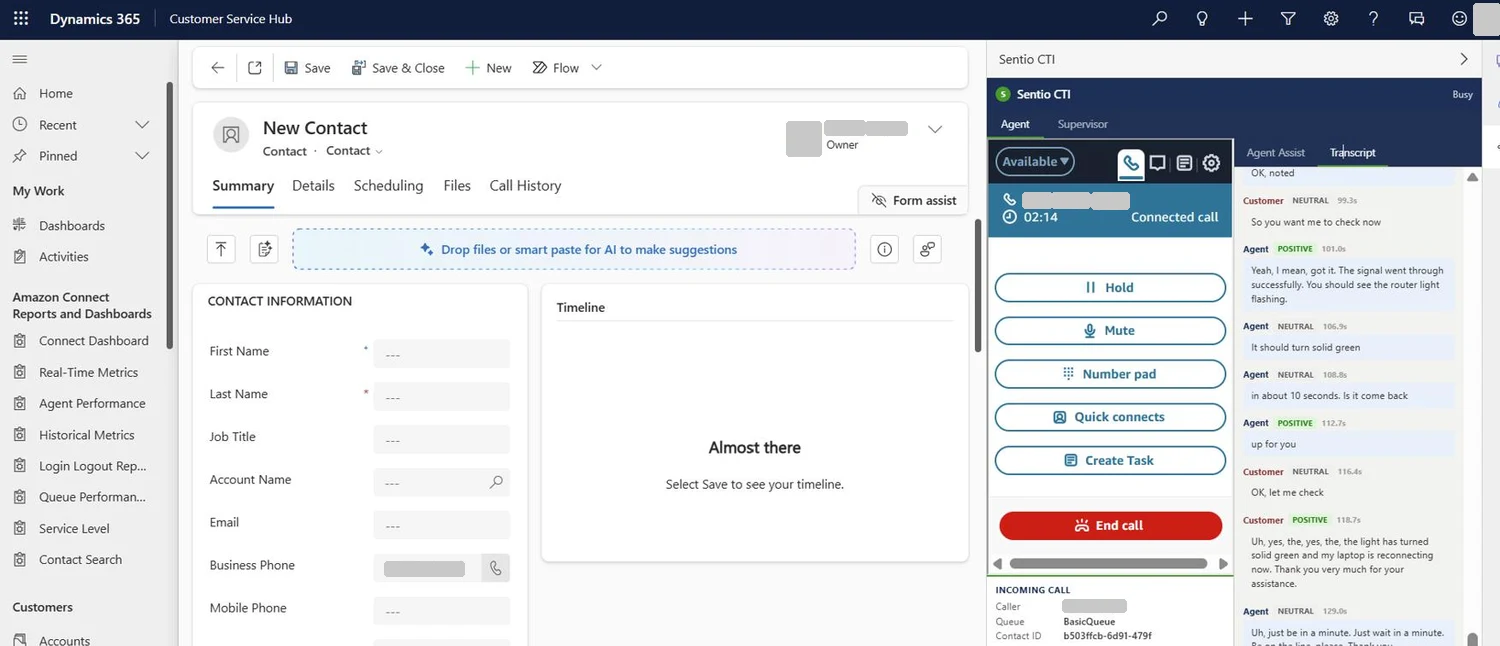
Screenshot: One sign-in, softphone inside the CRM
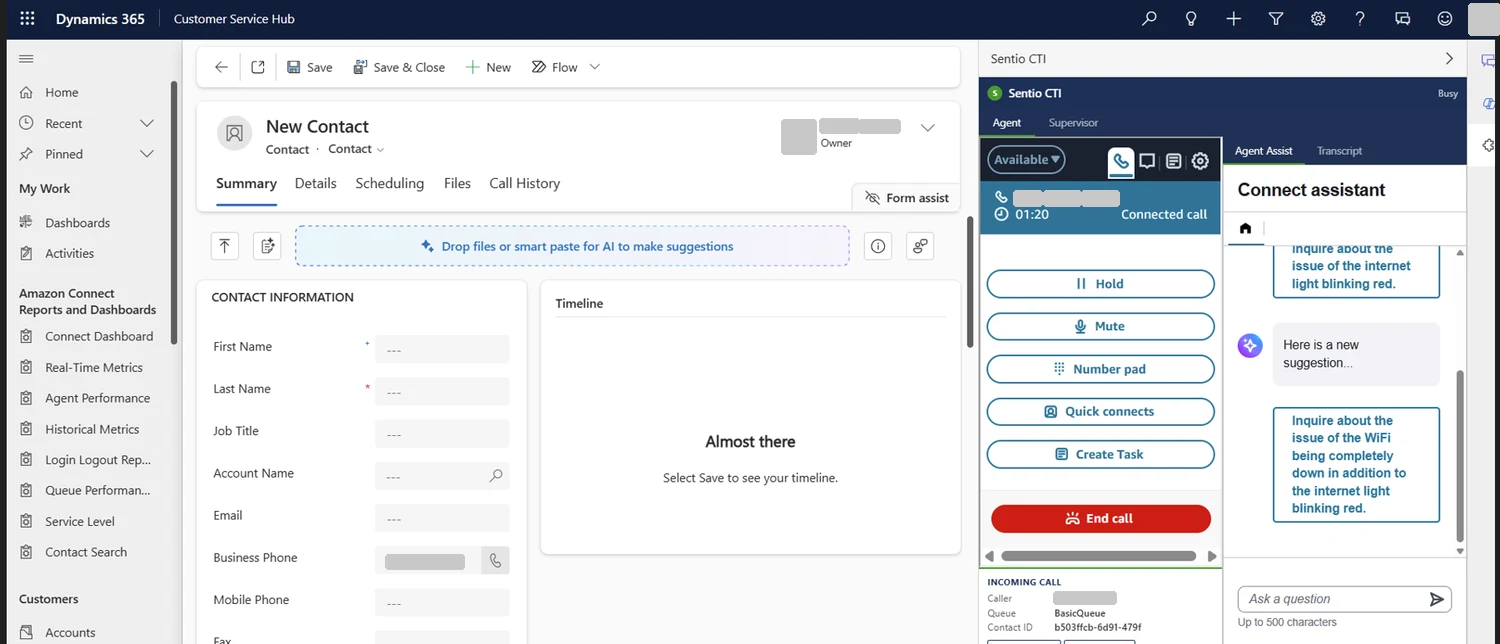
1. One sign-in, softphone inside the CRMThe agent opens Dynamics 365 and the Sentio panel loads on the right with the Amazon Connect softphone already signed in. Agent and Supervisor tabs appear by role.
Screenshot: Call handling with live transcript and sentiment
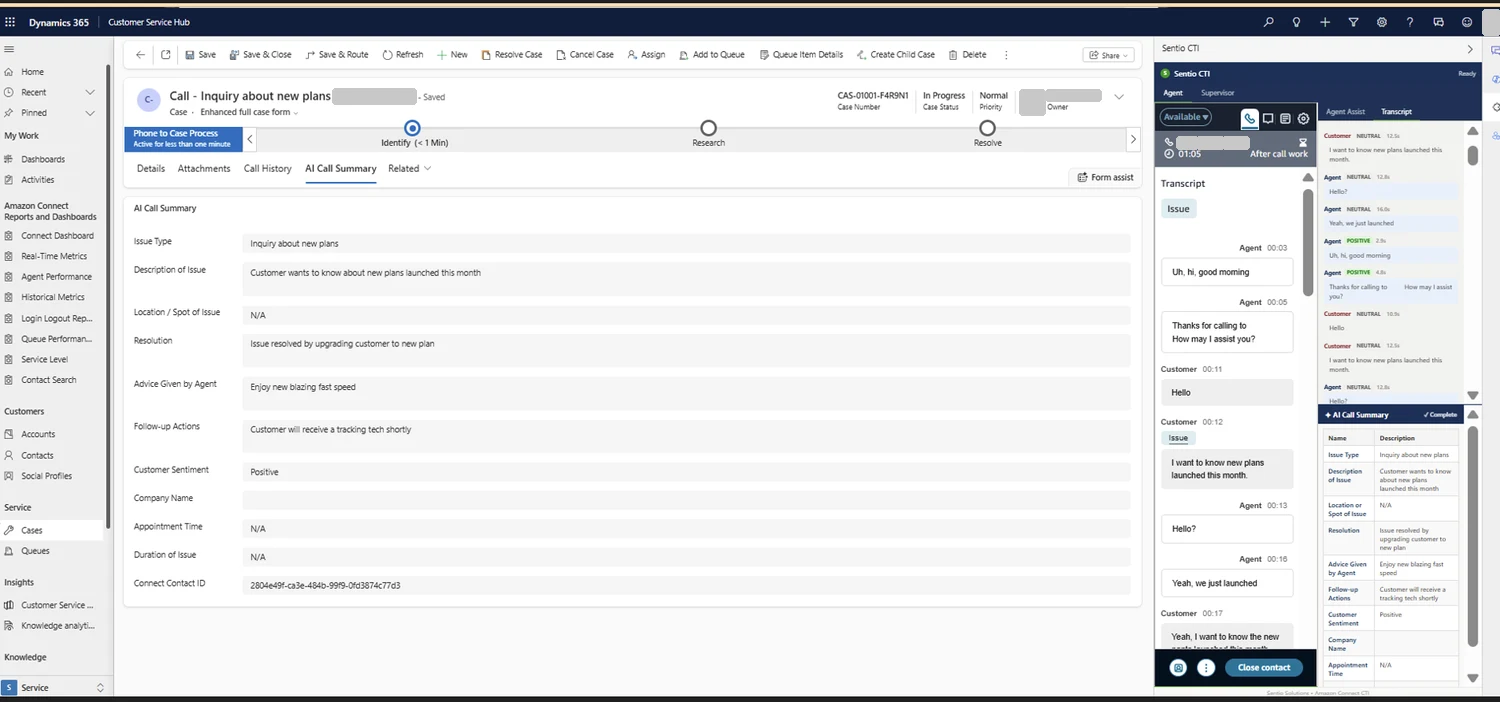
2. Call handling with live transcript and sentimentThe caller’s number, queue and contact ID with hold, mute, keypad, quick connects and task controls. Each sentence appears as it is spoken, tagged positive, neutral or negative.
Screenshot: Real-time agent assist
3. Real-time agent assistThe Agent Assist tab listens to the conversation and suggests what to ask or say next from your knowledge base. Agents can also type a question.
Screenshot: AI call summary written to the case
4. AI call summary written to the caseWhen the call ends, an AI summary generated with Amazon Bedrock fills your own field list. The agent reviews it and it is saved to the case with the contact ID.
Screenshot: Supervisor view
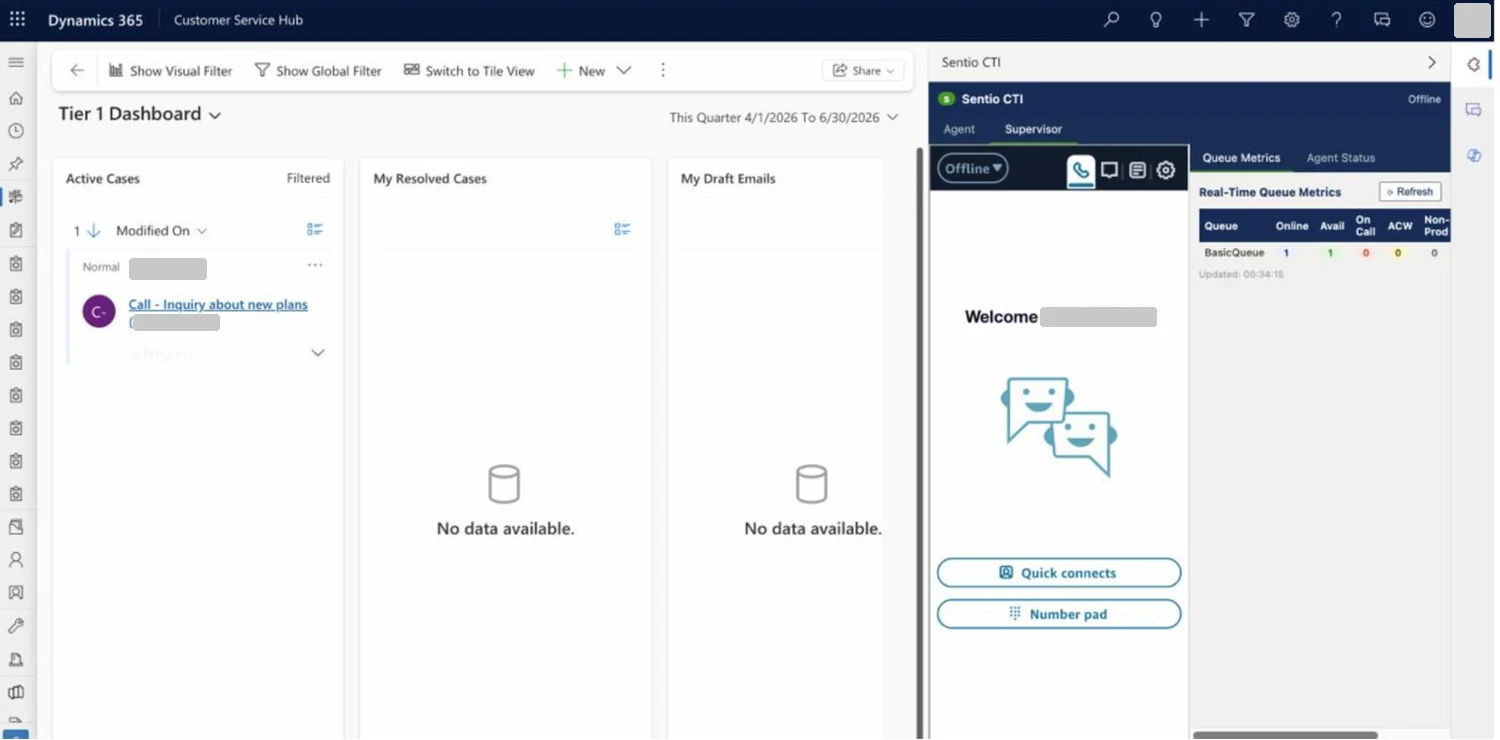
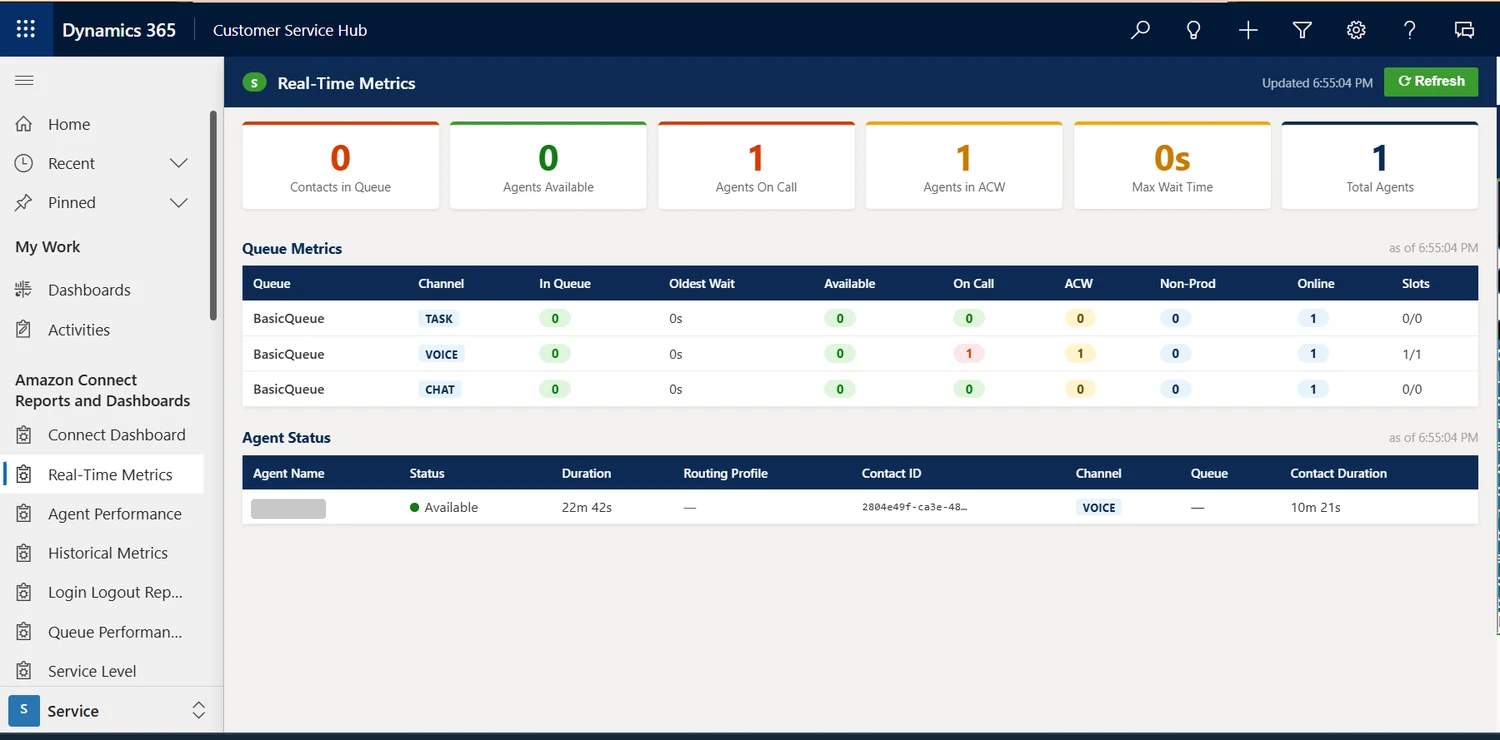
5. Supervisor viewLive queue metrics (agents online, available, on call, in after-call work) and each agent’s status, without leaving Dynamics 365.
Screenshot: Contact search
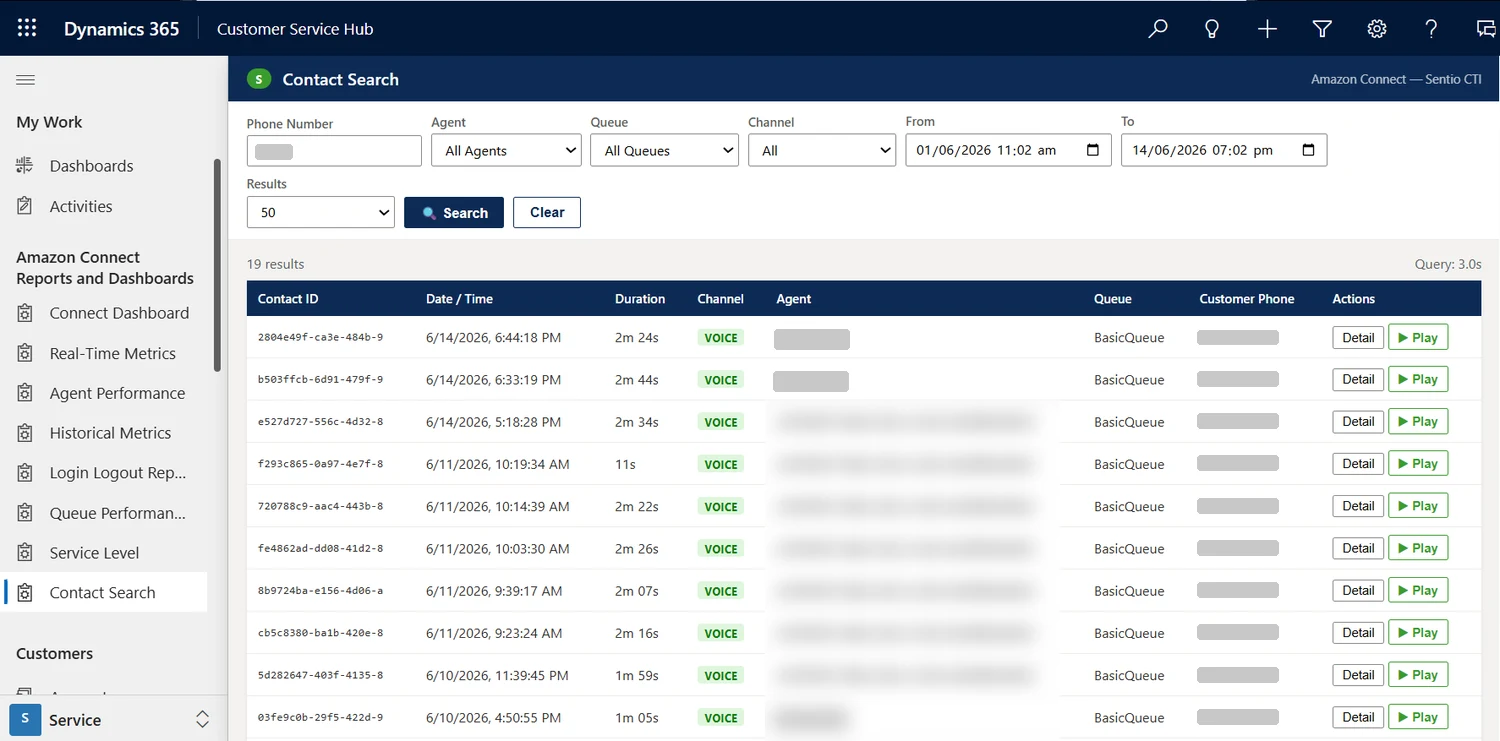
6. Contact searchEvery interaction searchable inside Dynamics 365 by phone number, agent, channel, queue and date, with play and detail buttons on each row.
Screenshot: Recording, transcript and categories
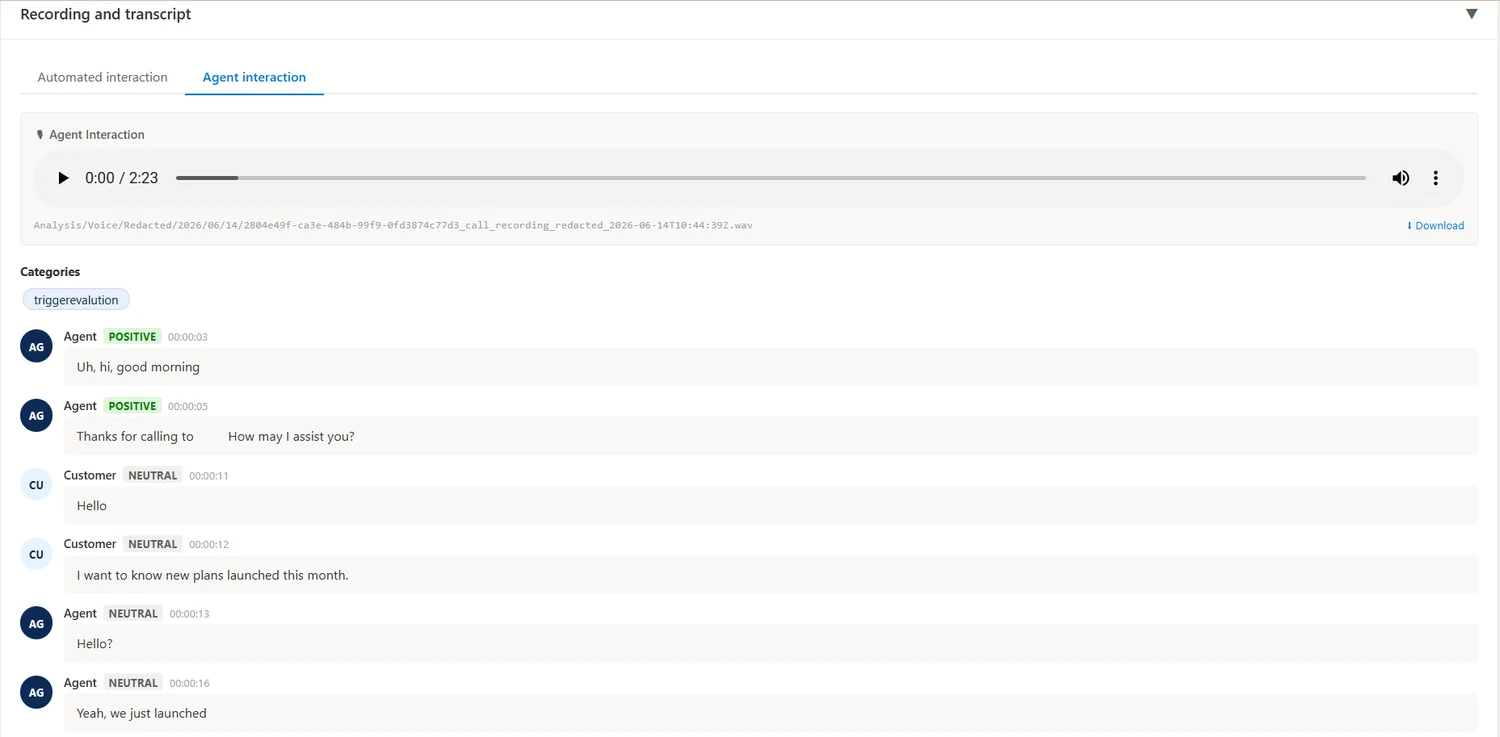
7. Recording, transcript and categoriesPlay the recording beside the full transcript, with sentiment on every turn and the detected contact category.
Screenshot: Automated evaluation
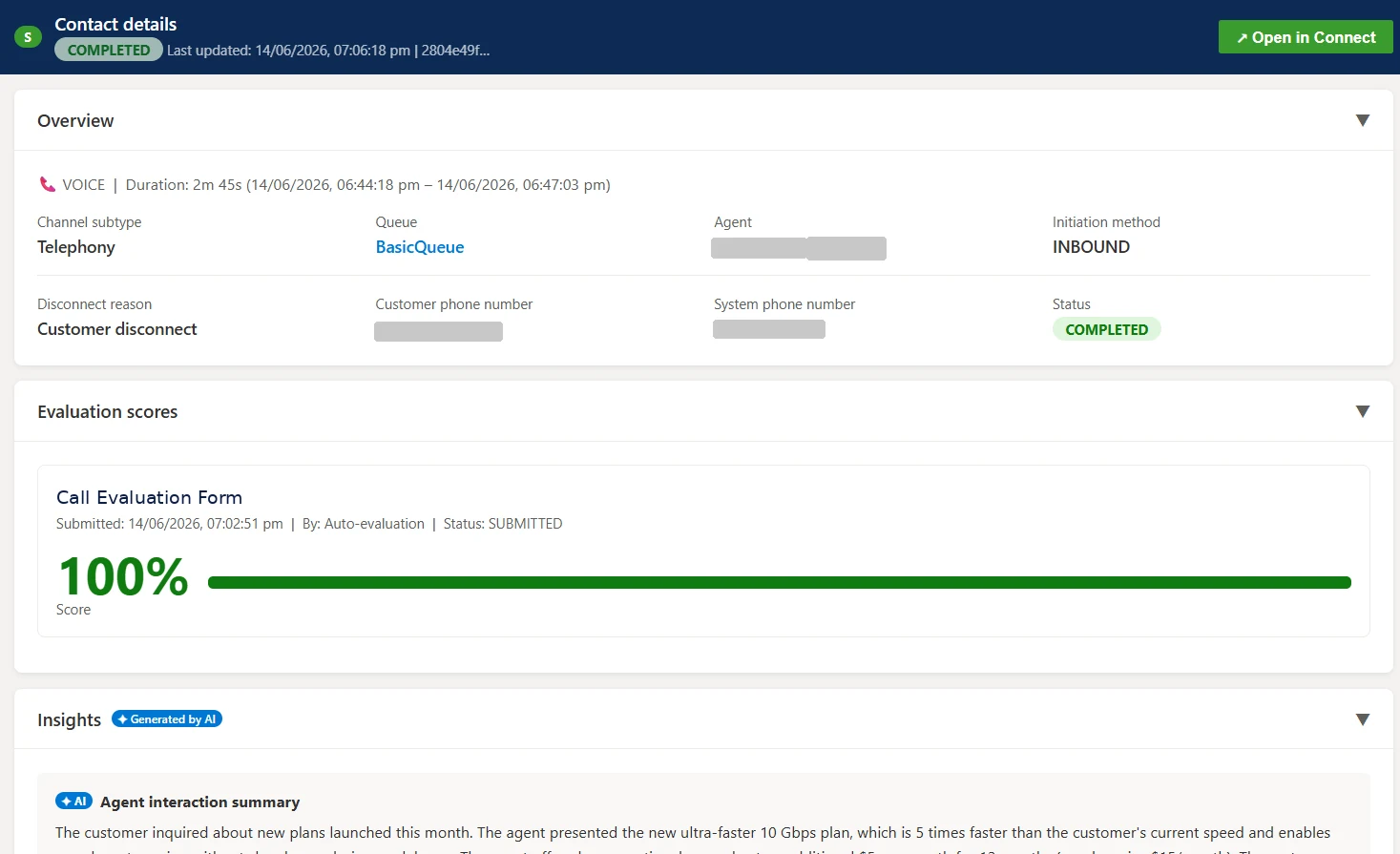
8. Automated evaluationEach contact is scored automatically against your evaluation form, shown beside the AI summary of the interaction.
Screenshot: Real-time and historical reports
9. Real-time and historical reportsReal-time metrics, agent and queue performance, login and logout and service-level reports, opened from the Dynamics 365 menu.

Other Sentio products

Campaign ManagerOutbound voice and SMS campaignsAI Quality ManagementEvery call scored with AICall IntelligenceTranscripts and AI summaries in your CRMSurvey ApplicationPost-contact customer and agent surveysSentio WallboardLive wallboards and real-time alertsGenesys & Cisco Report PackageFamiliar reports rebuilt in Amazon QuickSightVerint Recording MigrationMove recordings into Amazon Connect

Let’s talk about your contact centre.

Tell us where you are today and we’ll show you what this could look like for your team.

Talk to an expert Book a 30-minute call Request a product demo